$ cat performance-optimization.md
Performance Optimization Notes
2026-09-22 · Amrit Bhusal · Performance
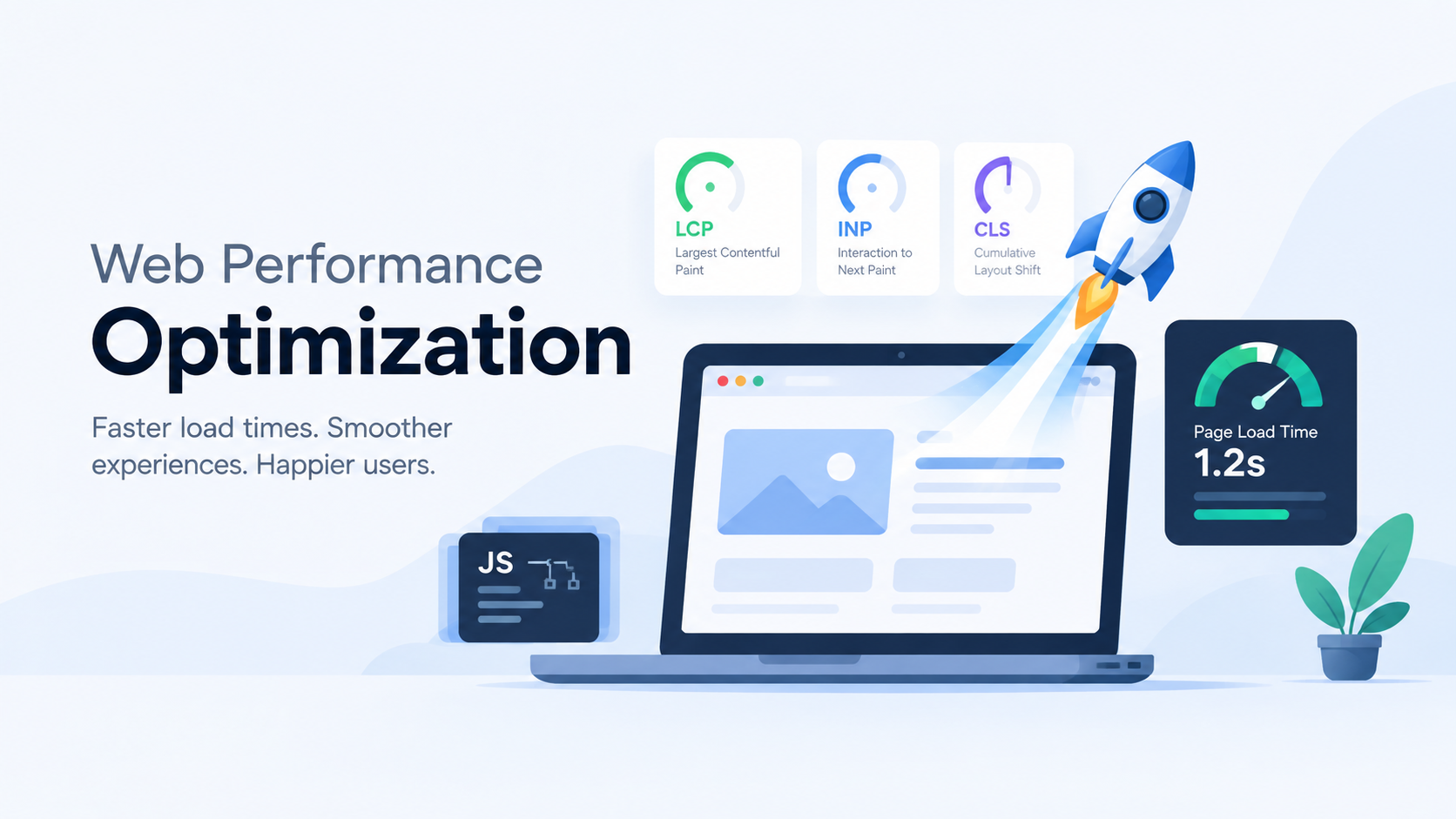
- Focuses on making a website load faster and feel smoother during real use
- Improves both the first page load and the responsiveness of interactions such as clicking, typing, and scrolling
- Better performance increases user retention, improves SEO, reduces bounce rates, and creates a better overall product experience
- Optimization means identifying bottlenecks and removing unnecessary work, such as oversized images, unused code, excessive JavaScript, or slow network requests
Chrome DevTools
Used to identify exactly what is slowing the product down so developers can make targeted improvements.
Network Tab
- Find large images, scripts, fonts, or API requests that take too long to load
- Detect duplicate or unnecessary requests
- Reduce page weight and improve loading speed by optimizing or removing slow assets
- Verify caching, compression, and lazy loading are working correctly
Performance Tab
- Identify JavaScript tasks that block the main thread
- Detect rendering and painting bottlenecks during page load and user interactions
- Reduce lag by optimizing expensive functions, animations, and component rendering
- Improve responsiveness by shortening long tasks and minimizing browser work
Coverage Tab
- Find CSS and JavaScript that is never used
- Remove dead code from production bundles
- Reduce download size and parsing time
- Improve initial load performance by shipping less code to users
PageSpeed Insights
Helps prioritize optimizations that improve performance for both simulated tests and real users.
- Shows which issues are affecting actual visitors, not just test environments
- Highlights opportunities such as image optimization, caching, code splitting, and render-blocking resources
- Helps measure whether performance improvements are actually benefiting users on different devices and network conditions
- Useful for tracking progress toward better Core Web Vitals and SEO performance
WebPageTest
Useful for diagnosing performance problems that affect users in specific environments.
- Test from different countries and cities to identify regional latency issues
- Simulate slow mobile networks to optimize for users with poor connections
- Use waterfall charts to locate the exact request delaying page rendering
- Compare before and after optimizations with visual loading videos and timing breakdowns
- Helps optimize CDN usage, server response time, and resource loading order
GTmetrix
Helps monitor performance over time and verify that optimizations are improving the product.
- Identify large assets and slow requests through an easy to read waterfall chart
- Track historical performance after deployments or feature releases
- Compare optimization results across different locations and device profiles
- Useful for ongoing performance maintenance rather than one-time testing
Core Web Vitals
These metrics show whether performance optimizations are improving the real user experience.
LCP (Largest Contentful Paint)
Optimize the loading of the main visible content.
- Compress and properly size hero images
- Use modern image formats such as WebP or AVIF
- Preload important assets
- Improve server response time
- Reduce render-blocking CSS and JavaScript
INP (Interaction to Next Paint)
Optimize how quickly the page responds to user actions.
- Reduce long JavaScript tasks
- Split large bundles into smaller chunks
- Avoid unnecessary re-renders
- Optimize event handlers and expensive computations
- Keep the main thread available for user interactions
CLS (Cumulative Layout Shift)
Optimize visual stability during loading.
- Reserve space for images, ads, and embedded content
- Set width and height on media elements
- Avoid inserting content above existing content after the page has started rendering
- Load fonts in a way that prevents text shifting
Code Splitting & Bundle Optimization
The Basic Idea
- Reduce the amount of JavaScript users download on the initial page load
- Load only the code required for the current page or feature
- Decrease parsing and execution time in the browser
- Improve first load performance and make the application feel faster
Bundle / Code Splitting
Optimize the application by breaking one large JavaScript bundle into smaller chunks.
- Load only the code needed for the current route or feature
- Delay downloading less important code until the user actually needs it
- Reduce the initial bundle size and improve startup time
- Prevent users from downloading code for pages they may never visit
- Implement using dynamic imports and route based lazy loading
- Modern frameworks such as Next.js, Vite, and Webpack support code splitting automatically
Tree Shaking
Optimize bundle size by removing code that is never used.
- Eliminate unused functions, components, and modules from the production bundle
- Keep only the code that is actually imported and executed
- Reduce JavaScript download size and browser parsing time
- Improve overall application performance without changing functionality
- Works best with ES module syntax (
import/export) - Supported by modern bundlers such as Webpack, Rollup, and Vite
Compression
Optimize network performance by reducing the size of files sent from the server.
- Compress HTML, CSS, JavaScript, JSON, and other text-based assets before delivery
- Reduce download time, especially on slower mobile networks
- Lower bandwidth usage for both users and servers
- Gzip: widely supported and effective for most web assets
- Brotli: provides better compression than Gzip for many text-based files
- Typically enabled on the server or CDN so compressed files are served automatically
- Usually combined with minification, which removes unnecessary whitespace, comments, and characters before compression for even smaller file sizes
Loading Strategies
The Basic Idea
- These techniques control when resources like JavaScript, images, fonts, and data get loaded
- The performance win comes from cutting down what competes for bandwidth and parse/execution time during the critical initial load, so the browser spends its early effort only on what the current view actually needs
Dynamic Loading
- Shrinks the initial JS bundle by excluding code the page doesn't need yet, so there's less to download, parse, and execute before the page becomes interactive
- Reduces Time to Interactive (TTI) and main-thread blocking time, since the browser isn't compiling and running JavaScript for features (modals, chatbots, heavy chart libraries) the user hasn't triggered
- Defers the cost of that code to the moment of interaction, when a small delay is far less noticeable than it would be during first load
- Achieved through dynamic imports, which fetch a module at runtime instead of bundling it upfront
Lazy Loading
- Stops the browser from spending bandwidth and download time on images/media that aren't even visible, so those requests don't compete with the resources actually needed for the current viewport
- Directly improves LCP, since critical above the fold content isn't stuck waiting in a queue behind off screen images
- Reduces total data transferred per session if the user never scrolls far enough to trigger some of the loads
- Achieved natively with
loading="lazy"on image tags, or via JS libraries for finer control (e.g. custom thresholds, non-image content)
Preloading
- Removes the delay caused by late resource discovery, the browser normally finds critical resources (fonts, hero images, key CSS) only after parsing HTML/CSS; preloading tells it to start immediately
- Improves LCP by ensuring the resource that renders the largest/most important content is already loading instead of being discovered late in the pipeline
- Needs to be used sparingly, since forcing early priority on a resource means it competes with other requests for bandwidth, overusing it can slow other important resources down and hurt overall load time
- Implemented via
<link rel="preload">in the HTML head
Prefetching
- Uses idle bandwidth now to eliminate load time later, resources for a likely next action (e.g. next page's JS) are fetched and cached in advance, so that future navigation has less or nothing to fetch
- Speeds up perceived navigation performance rather than current-page performance, the benefit shows up on the next interaction, not this one
- Lower priority than preload by design, so it won't compete with resources the current page actually needs right now
- Implemented via
<link rel="prefetch">
Preconnect
- Removes connection setup latency (DNS lookup, TCP handshake, TLS negotiation) from the critical path by doing it ahead of time, so when the real request fires, the browser skips straight to downloading
- Most valuable for third-party domains (CDNs, font providers, APIs) where connection overhead would otherwise add noticeable delay right when a needed resource is requested
- Implemented via
<link rel="preconnect">
Load on Demand
- Cuts the amount of data and code shipped on initial load by deferring content, components, or data fetches until the user actually interacts with that part of the page
- Keeps the first load lightweight and fast, since the browser isn't spending time/bandwidth rendering or fetching things the user may never reach
- Shifts cost to the moment of demand (scroll, click, filter), spreading load over the session instead of front-loading it all at once
- Broader concept that dynamic loading and lazy loading both fall under; examples include comments loaded on scroll/click, data tables loaded after a filter is applied, and additional results loaded via "load more" or infinite scroll
Caching & Storage
The Basic Idea
- Caching saves a copy of something so the browser, server, or network doesn't have to redo fetching or generation work it's already done once
- The performance win comes from replacing an expensive operation (network round trip, database query, page render) with a much cheaper one (local read, memory lookup, nearby server), so repeat visits and repeated requests get dramatically faster and cheaper
Browser Cache Storage
- Eliminates the network request entirely on repeat visits, if a file is still "fresh," the browser loads it straight from local disk/memory instead of round-tripping to the server, cutting that load time close to zero
- Cuts wasted re-downloads by using validators instead of blind reloading, ETag lets the browser check "has this actually changed?" with a lightweight request, avoiding a full re-download when the content is identical
- Controlled by Cache Control/Expires, which set how long a file can be reused before the browser bothers checking again, longer freshness windows mean fewer requests overall
- Biggest gains come from applying long cache lifetimes to files that rarely change (logos, fonts, versioned JS/CSS), since those are the ones repeat visitors benefit from skipping entirely
Service Workers
- Removes the network as a dependency altogether by intercepting requests and serving cached responses directly, so load time isn't just faster, it's no longer bottlenecked by connection quality or availability
- Gives fine grained control over caching strategy (cache first, network first, stale while revalidate), which lets an app choose speed vs. freshness per resource instead of relying on generic HTTP rules
- Enables consistent performance on poor or no connection, since previously visited content can be served instantly from cache rather than failing or stalling on a slow network
- Trade-off: the performance gain depends entirely on caching logic being written correctly, more control means more responsibility for what gets cached, when it updates, and what the fallback is when nothing's cached
- Core technology behind PWAs, and also enables push notifications and background sync as side benefits
Server Side Caching
- Avoids repeating expensive backend work, caching database query results means the server skips re-running costly queries for requests asking for the same data
- Avoids rebuilding the same output repeatedly, caching rendered pages means the server skips regenerating identical HTML on every visit
- Speeds up response time for every visitor, not just returning ones, since the benefit lives on the server, not in an individual browser's cache
- Reduces overall server load, which keeps response times fast even under repeated traffic to the same content (e.g. a popular blog post or product page)
- Implemented with tools like Redis, Memcached, or framework level caching (Next.js, WordPress), which handle storing and invalidating cached results
CDN Caching
- Cuts physical distance out of the equation, static files (images, CSS, JS, fonts) are cached on servers geographically close to the user, so the round-trip time is much shorter than reaching the original server
- Directly reduces latency for geographically distant users, who would otherwise pay a large time cost just for the request to travel to and from a far-away origin server
- Improves resilience under load, since traffic is spread across many distributed servers instead of concentrating on the original server, preventing slowdowns during traffic spikes
- Common providers (Cloudflare, Akamai, Amazon CloudFront) handle the distribution and cache invalidation logic across their server network
Image & Video Optimization
- Use SVG and other vector images
- SVGs are usually smaller than raster images and can scale to any screen size without losing quality, reducing file size and improving loading performance.
- Use WebP instead of JPG and PNG
- WebP provides smaller file sizes while maintaining good image quality, which reduces bandwidth usage and makes images load faster.
- Responsive Images
- Serve images in appropriate sizes based on the user's screen and device. This prevents mobile devices from downloading unnecessarily large images and saves bandwidth.
- Compress Images
- Image compression reduces file size while maintaining acceptable visual quality. Smaller images require less bandwidth and load faster.
- Lazy Load Images and Videos
- Load media only when it is needed or about to enter the user's viewport. This reduces the initial page load size and helps the page become interactive faster.
- Video Optimization
- Compress videos, use efficient formats/codecs, provide appropriate resolutions, and avoid loading videos unnecessarily. This significantly reduces bandwidth consumption and improves page load and playback performance.
Reduce HTTP Requests
Combine Files
- Combine multiple CSS and JavaScript files where appropriate to reduce the number of requests made to the server. Fewer requests can reduce network overhead and improve page load performance.
Use HTTP/2 or HTTP/3
- HTTP/2 and HTTP/3 support features such as multiplexing, allowing multiple resources to be transferred over a single connection. This reduces the impact of multiple requests and improves resource loading speed.
Reduce Third-Party Scripts
- Minimize unnecessary third-party scripts such as analytics, tracking tools, ads, and external widgets. These scripts can add additional network requests and JavaScript execution, increasing page load time and affecting overall performance.
CSS & JavaScript Best Practices
Avoid Inline JS and CSS
- Keep CSS and JavaScript in external files so they can be cached and reused by the browser. This reduces repeated downloads and keeps the HTML smaller.
Remove Unused CSS/JS
- Remove unused styles, scripts, dependencies, and libraries. Smaller bundles require less time to download, parse, and execute, reducing the browser's workload.
Critical CSS
- Prioritize the CSS required to render the content visible on the initial screen. Loading critical styles first allows the browser to render important content sooner while non critical styles can be loaded later.
Minify and Compress CSS/JS
- Minify production CSS and JavaScript to remove unnecessary characters and reduce file size. Use compression such as Brotli or Gzip to further reduce the amount of data transferred over the network.
Code Splitting
- Split large JavaScript and CSS bundles into smaller chunks and load them only when required. This prevents users from downloading code for features or pages they do not use.
Defer/Async JavaScript
- Prevent non-critical JavaScript from blocking HTML parsing and page rendering. Use
deferfor scripts that depend on the document andasyncfor independent scripts so the browser can continue rendering while scripts are downloaded.
- Prevent non-critical JavaScript from blocking HTML parsing and page rendering. Use
Optimize CSS Animations
- Avoid unnecessary animations and prefer performant properties such as
transformandopacity. This reduces layout and rendering work and helps maintain smooth interactions.
- Avoid unnecessary animations and prefer performant properties such as
Optimize Web Fonts
Limit Font Weights/Styles
- Load only the font weights and styles that are actually used by the application. Each additional font file increases the amount of data the browser needs to download, so limiting them reduces network requests and improves font loading performance.
Preload Key Fonts
- Preload fonts that are required for the initial page rendering. This tells the browser to start downloading important fonts earlier, reducing the time users see fallback fonts and helping important content render sooner.
Use System Fonts When Possible
- Use system fonts when a custom typeface is not necessary. System fonts are already available on the user's device, so they do not require an additional network request, resulting in faster text rendering.
Maintain Server-Side Rendering
Server-Side Rendering (SSR)
- Render pages on the server and send HTML that already contains the required content to the browser. This allows users to see meaningful content sooner and can improve initial load performance and SEO.
Static Site Generation (SSG)
- Generate pages at build time when the content does not need to be generated dynamically for every request. Pre-generated HTML can be served quickly, reducing server processing time and improving page load performance.
Reduce DOM Size
- Keep the number of DOM elements as small as reasonably possible. A large DOM increases the browser's work during layout, style calculation, and rendering, which can negatively affect page performance and responsiveness.
Avoid Layout Thrashing
- Avoid repeatedly reading and modifying the DOM in a way that forces the browser to recalculate layout multiple times. Batch DOM reads and writes where possible to reduce unnecessary layout calculations and improve rendering performance.
Virtualization / Windowing
- For large lists or tables, render only the items currently visible in the viewport instead of rendering every item at once. This significantly reduces the number of DOM elements and the amount of rendering work required, improving performance for large datasets.
JavaScript Runtime Optimization
Event Delegation
- Attach a single event listener to a parent element instead of adding separate listeners to many child elements. This reduces the number of event listeners and lowers memory usage, especially for large or dynamic lists.
Debounce and Throttle
- Control how frequently frequently triggered events such as
scroll,resize, andinputare processed. Debouncing waits until the event activity stops before running the function, while throttling limits how often it can run. This reduces unnecessary JavaScript execution and improves responsiveness.
- Control how frequently frequently triggered events such as
Web Workers
- Run CPU-intensive JavaScript calculations in a background thread instead of the browser's main thread. This prevents heavy processing from blocking the UI and keeps the page responsive during expensive operations.
Avoid Memory Leaks
- Properly clean up event listeners, timers, subscriptions, observers, and other resources when they are no longer needed. This prevents memory usage from continuously increasing and helps maintain performance during long-running sessions.
Animation & CDN Optimization
Use Fewer Animations
- Avoid unnecessary or excessive animations, especially on frequently updated elements. Animations require additional browser processing and can increase CPU and GPU usage. Using animations only where they improve the user experience helps keep the interface responsive.
Prefer
transformandopacityfor Animations- When animations are necessary, prefer properties such as
transformandopacity. These properties can generally be handled more efficiently by the browser and are less likely to trigger expensive layout recalculations, resulting in smoother animations.
- When animations are necessary, prefer properties such as
Use a CDN (Content Delivery Network)
- Serve static assets such as images, CSS, JavaScript, fonts, and videos through a CDN. A CDN delivers files from servers closer to the user, reducing network latency and improving resource loading times, especially for users located far from the main server.
Performance Optimization Process
A repetable, 5 step guide for improving and maintaining the performance of any website or software
Measure
Before making any changes in code first check the performance of website, track it performance benchmark, and create a baseline which will used in future to check what improved from orginal baseline.
- Establish baseline performance
- Record load times, response times, and interaction responsiveness under realistic conditions.
- Test on both mobile and desktop, since performance characteristics differ significantly between them
- Capture a "before" snapshot (screenshots, waterfall charts, timing data) so later comparisons have something concrete to reference
- Test from multiple geographic locations if the audience is distributed, since server distance and CDN coverage affect results
- Check Core Web Vitals
- LCP (Largest Contentful Paint): how long the main visible content takes to render.
- INP (Interaction to Next Paint): how responsive the page feels when the user clicks, types, or taps .
- CLS (Cumulative Layout Shift): how visually stable the page is while it loads .
- Use PageSpeed Insights to see both lab data (simulated tests) and field data (real user metrics), since the two can diverge, A page might test well in a lab environment but perform poorly for actual visitors on slower devices or networks .
- Track these metrics over time, not just as a one-off check, since real-world conditions shift.
- Profile network and CPU usage
- Use the Network tab in Chrome DevTools to find large images, scripts, fonts, or slow API requests, and confirm caching, compression, and lazy loading are behaving as expected
- Use the Performance tab to profile CPU work: identify long JavaScript tasks blocking the main thread, and spot rendering or painting bottlenecks during load and interaction
- Use the Coverage tab to see how much shipped CSS and JavaScript is actually used versus dead weight
- For deeper environment specific diagnosis, use WebPageTest or GTmetrix.
Identify the bottleneck
Data from the measurement phase should point to where the slowdown is actually coming from.
- Network
- Large or slow assets
- Large images, JavaScript, CSS, fonts, or API responses can take longer to download and increase page load time.
- Too many requests
- Unnecessary or duplicate requests increase network overhead and can slow down the page.
- Poor caching
- Without proper caching, the browser repeatedly downloads resources that could have been reused.
- Slow third-party requests
- Analytics, ads, external widgets, or other third-party services can delay page loading.
- No CDN
- Users who are far from the server may experience higher network latency.
- Large or slow assets
- Server
Slow server response time (TTFB)
- A high Time to First Byte means the browser sits idle waiting before it can even start rendering, delaying everything downstream.
Expensive work repeated on every request
- Rebuilding the same HTML or recomputing the same result for identical requests wastes server time that caching could remove.
No server-side or CDN caching
- Without cached responses, every visitor pays the full cost of generation instead of only the first one.
Under-provisioned or overloaded server
- Response times degrade sharply under traffic spikes when the server has no headroom or load distribution.
Rendering strategy mismatch
- Rendering everything dynamically per request when SSG or cached SSR would serve the same content adds avoidable processing time.
- JavaScript
- Too much JavaScript shipped upfront
- A large initial bundle must be downloaded, parsed, and executed before the page becomes interactive, delaying TTI and INP.
- Long tasks blocking the main thread
- Any task over roughly 50ms prevents the browser from responding to clicks, taps, and typing, which shows up directly as poor INP.
- Expensive computation on the main thread
- Heavy loops, large data transformations, or parsing big JSON payloads freeze the UI while they run.
- Unnecessary re-renders
- Components re-rendering on unrelated state changes burn CPU repeatedly for no visible benefit.
- Unthrottled high-frequency handlers
scroll,resize, andinputhandlers that run on every event multiply work and cause visible lag.
- Dead and duplicate code
- Unused libraries, polyfills for browsers no longer supported, and the same dependency bundled twice all add download and parse cost.
- Memory leaks
- Listeners, timers, and subscriptions that are never cleaned up make long sessions progressively slower.
- Too much JavaScript shipped upfront
- Rendering
- Render-blocking CSS and JavaScript
- Stylesheets and synchronous scripts in the head stop the browser from painting anything until they finish loading.
- Large DOM
- Thousands of elements make style calculation, layout, and paint expensive on every update.
- Layout thrashing
- Interleaved DOM reads and writes force the browser to recalculate layout many times within a single frame.
- Expensive animations
- Animating properties that trigger layout or paint (
width,top,box-shadow) instead oftransformandopacitydrops frames.
- Animating properties that trigger layout or paint (
- Layout shift during load
- Media without reserved dimensions, late-injected banners, and font swaps move content after it has already rendered, hurting CLS.
- Long unvirtualized lists
- Rendering every row of a large table or list at once creates far more DOM nodes than the viewport ever shows.
- Render-blocking CSS and JavaScript
- Images/media
- Oversized images
- Serving a full-resolution image into a small container downloads far more bytes than the display actually needs.
- Outdated formats
- JPG and PNG are significantly larger than WebP or AVIF for comparable visual quality, and raster is larger than SVG for icons and logos.
- No responsive sizing
- Without
srcset/sizes, mobile devices download desktop-sized images over slower connections.
- Without
- Off-screen media loading eagerly
- Images below the fold compete for bandwidth with the content the user can actually see, delaying LCP.
- Unoptimized video
- Uncompressed video, autoplay, or
preload="auto"can transfer megabytes before the user has shown any interest in playing it.
- Uncompressed video, autoplay, or
- Missing dimensions
- Images without width and height leave no reserved space, so the page reflows once they load.
- Oversized images
- Database/API
- Slow queries
- Missing indexes, full table scans, or queries over large unfiltered result sets hold up the response.
- N+1 query patterns
- Fetching a list and then querying once per item multiplies round trips instead of batching them into one.
- Over-fetching
- Returning fields, relations, or rows the client never uses inflates payload size and serialization time.
- Waterfalled requests
- Sequential dependent API calls stack their latencies; independent ones should run in parallel.
- No caching layer
- Repeating identical expensive queries when the result could be held in Redis or Memcached wastes database capacity.
- Missing pagination
- Returning an entire collection instead of a page grows the response linearly with the dataset.
- Chatty client
- Many small requests for data that could be combined into one add per-request overhead and connection contention.
- Slow queries
Optimize the bottleneck
Fix the specific thing the data pointed to, and nothing else.
- Apply the smallest effective change
- Start with the single highest impact fix rather than a broad rewrite.
- Prefer configuration and platform features.
- Avoid optimizing things that aren't bottlenecks
- Micro-optimizations rarely matter next to the dominant cost
- find the biggest number first.
- Change one thing at a time
- Bundling several optimizations together makes it impossible to tell which one helped and which one regressed something.
- Weigh the trade-offs
- Caching brings staleness
- code splitting adds request overhead
- aggressive compression costs CPU.
- Keep correctness ahead of speed
- A faster page that shows stale, broken, or shifting content is not an improvement.
Measure again
Verify the change actually helped, using the same conditions as the baseline.
- Compare before vs after
- Re-run the same tools on same condition otherwise the comparison means nothing.
- Compare concrete numbers.
- Run more than once.
- Verify real-world improvement
- Check real user data.
- A smaller bundle that adds request waterfalls can be a net loss.
- If the numbers did not move, the diagnosis was wrong.
Monitor continuously
Performance decays as features ship, so treat it as an ongoing check rather than a one-time project.
- Track Core Web Vitals
- Collect field data continuously instead of relying on occasional manual tests.
- Watch trends regularly.
- Add performance budgets
- Set explicit limits on bundle size.
- Enforce them in CI.
- Monitor regressions after deployments
- Compare metrics before and after each release.
- Alert on threshold breaches.
- Re-audit third-party scripts periodically.